
Description
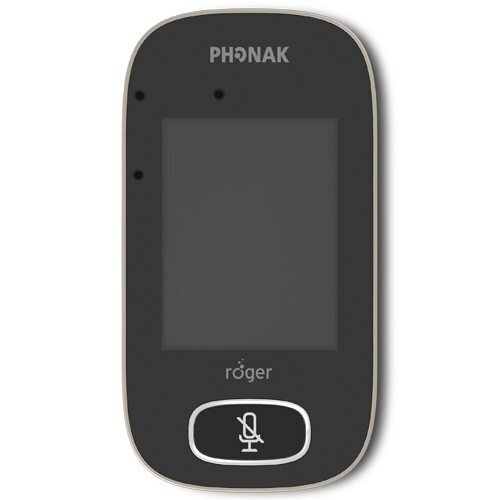
This Phonak Roger Touchscreen Mic 3 Unlimited helps children hear teachers, classmates and multimedia audio more clearly across different classroom activities. When a teacher wears it around their neck, the microphone captures their voice and transmits it wirelessly to connected hearing devices. This adaptive gain responds to surrounding noise, helping the speaker’s voice remain clear as classroom sound levels change.
The microphone automatically changes mode based on how it is used; Lanyard mode supports teacher-led lessons. Placing the device flat on a table activates Small Group mode, which focuses on the student speaking. Pointing mode lets a student aim the microphone towards a teacher or another speaker from up to 4 metres or 13 feet away. Unlimited digital receiver licences are built into the microphone for installation into compatible Phonak hearing aids with RogerDirect. This removes the need to purchase a separate Roger X receiver for each compatible RogerDirect hearing aid.
This mic also connects with external Roger receivers, Roger NeckLoop, compatible cochlear implant receivers, extra Roger microphones and classroom multimedia equipment.
Key features
- Wireless classroom microphone for teachers and students
- Unlimited RogerDirect receiver licences built in
- Transmits speech directly to connected hearing devices
- Adaptive gain responds to changing classroom noise
- Automatically switches between Lanyard and Small Group modes
- Pointing mode offers a pick-up range of up to 4 meters
- Clear touchscreen interface
- Supports up to 35 compatible Roger microphones in one network
- Approximately 10 hours of operating time
- Charges fully in approximately 2 hours
- Includes a rechargeable 1,200 mAh battery
Compatible with:
- Phonak hearing aids with RogerDirect
- Hearing aids fitted with a compatible Roger receiver
- Cochlear implants fitted with a compatible Roger receiver
- Roger NeckLoop for hearing devices with a telecoil
- Roger X receivers
- Selected Roger design-integrated receivers
- Roger Pass-around microphones
- Roger Multimedia Hub
- Selected Roger DigiMAster SoundField systems
Check the exact hearing aid or cochlear implant model before ordering.
How to use?
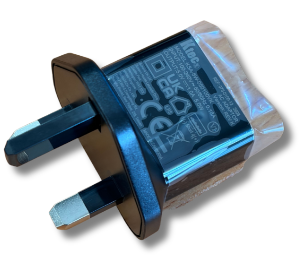
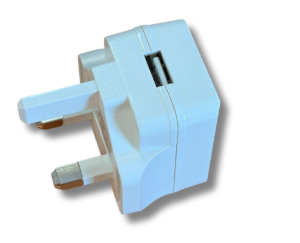
- Charge the microphone with the supplied cable and power supply
- Ask a hearing care professional to install or configure the required Roger receivers.
- Switch on the microphone and connected hearing aid devices.
- Connect the devices through the microphone’s touchscreen menu.
- Attach the lanyard and position the microphone around 20cm from the teacher’s mouth.
- Place the microphone flat on a table for Small Group mode.
- Hold and point the microphone towards a speaker when using Pointing mode.
- Use the Mute button whenever the teacher’s voice should stop transmitting.
- Recharge the microphone at the end of the school day.
Please note: Product information is supported by Phoank’s official page, technical data sheet and user guide.
Reviews
There are no reviews yet.